Student portfolio
A free portfolio website for students
A student portfolio is one page that shows what you have studied, made and done, for internship, job and course applications. The Digital Profile lets you build one for free, with no hosting or code, and share it as one short link: thedigitalprofile.com/yourname.
By Yuvraj Karna, founder of The Digital Profile · Updated
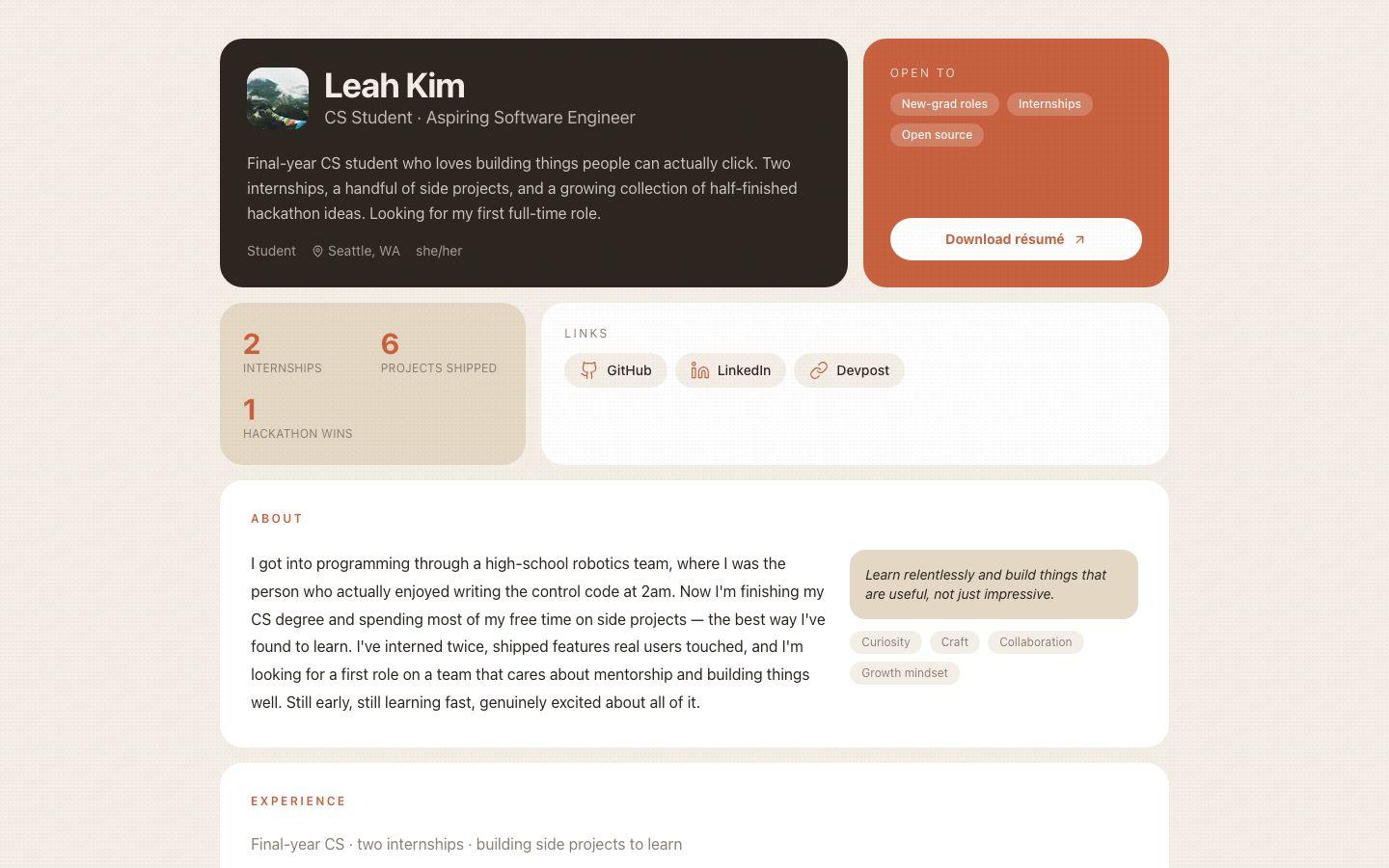
Why should a student have a portfolio?
A portfolio shows the work behind your grades. Many internship, job and course applications ask for a portfolio or personal website link, and one page you keep up to date is easier to share than a folder of files you re-send each time.
- It shows, rather than tells. A project with a screenshot and two sentences of context says more than a line on a CV.
- It is one link that stays current. Update the page and everyone who has the link sees the new version.
- It is found when people look you up. A published profile is a normal web page that search engines can index under your name.
What to put in a student portfolio
Put in who you are and what you are looking for, two to six projects, your experience and education, your skills, any achievements, and a way to contact you. Each item below maps to a section of your profile.
- Who you are
- What you study, where, and what you are looking for next. Section: Basic Info, About.
- Projects
- Coursework, personal projects, hackathons, research or anything you made. Section: Portfolio.
- Experience
- Internships, part-time jobs, volunteering and society roles. Section: Resume.
- Education
- Your degree or course, institution and expected graduation year. Section: Resume.
- Skills and certifications
- Tools, languages and courses you have completed, with links to verify them. Section: Resume.
- Achievements
- Awards, scholarships, competition results and published work. Section: Social Proof.
- Talks and events
- Presentations, exhibitions, competitions and conferences you took part in. Section: Events.
- Links and contact
- GitHub, Behance, LinkedIn or a blog, and an email address. Keep your phone number private. Section: Links, Contact.
Student portfolio ideas by field of study
What goes in a portfolio depends on what you study. This table suggests what to show, which profile sections to use, and which themes suit the work. Every theme is free and you can switch at any time.
| Field of study | What to show | Sections to use | Themes to try |
|---|---|---|---|
| Computer science and engineering | Projects with code links, hackathons, internships, technical skills | Portfolio, Resume, Links | Terminal, Prism |
| Design, architecture and art | Studio and personal work as images, process notes, exhibitions | Portfolio, Media, Events | Atelier, Monograph |
| Business, marketing and economics | Case studies, campaign results, competitions, society leadership | Portfolio, Social Proof, Resume | Ledger, Prism |
| Film, media and photography | Reels, short films, photo series, festival selections | Media, Portfolio, Events | Reel, Spotlight |
| Writing, humanities and journalism | Essays, articles, published pieces, editorial roles | Portfolio, Social Proof, About | Retro, Monograph |
| Sciences and research | Research projects, posters, papers, lab experience, conferences | Portfolio, Resume, Events | Ledger, Monograph |
How to make a student portfolio for free
Sign up with Google, claim a username, introduce yourself, add two or three projects and your résumé, then pick a theme and share the link. The first version takes about five minutes, and you can keep adding to it.
Sign up and claim your username
Use your Google account, then claim a username in Settings. Your name works well: thedigitalprofile.com/yourname looks good on an application.
Say who you are
In Basic Info, add your name, a photo if you want one, what you study, and a one-line tagline about what you are looking for.
Add two or three projects
Switch on Portfolio. For each project, say what it was, what you did, and what came of it. Add an image and a link if there is one.
Fill in your résumé
In Resume, add your education, experience and skills, and upload your CV as a PDF so anyone can download it.
Pick a theme and share
Choose a theme that suits your field, check the page on your phone, then add the link to your applications, CV and LinkedIn.
What to keep off a public portfolio
Leave off anything that could identify or locate you beyond what an employer needs: your home address, date of birth, student ID and phone number. Your email address and phone number start out private on The Digital Profile; keep the phone that way.
Every field has its own public/private switch, so you can fill in details for yourself and choose later what to show. Working on something with a team or a company? Check what you are allowed to share before you publish screenshots. If you are writing a bio for the first time, the free bio generator gives you a starting point.
Student portfolio questions
Is The Digital Profile free for students?
Yes. It is free for everyone, students included, with no student verification and no trial. Every feature available today is in the Free plan. You only need a Google account to sign up.
What if I don't have many projects yet?
Start with what you have: one or two course projects, a society role, volunteering or a part-time job. Describe what you did and what you learned. A short, honest page is better than a padded one, and you can add projects as you finish them.
Can I use my portfolio link in applications?
Yes. Your profile has a permanent public address that you can paste into application forms, your CV, your LinkedIn profile and your email signature. Forms that ask for a portfolio or personal website link accept any web address.
Should I put my grades on my student portfolio?
Only if they help your case. You can include a grade or class in the degree line of the Education section. If your grades are not a strength, leave them out and let your projects and experience speak instead.
Can I hide my profile while I'm still working on it?
Yes. From dashboard settings you can unpublish your profile so that only you can see it, then publish it again when it is ready. You can also keep individual fields private at any time.
Make your portfolio before the application is due.
Claim your username now and add the rest whenever you can. It's free, and you can unpublish at any time.